The video editor
that respects your machine.
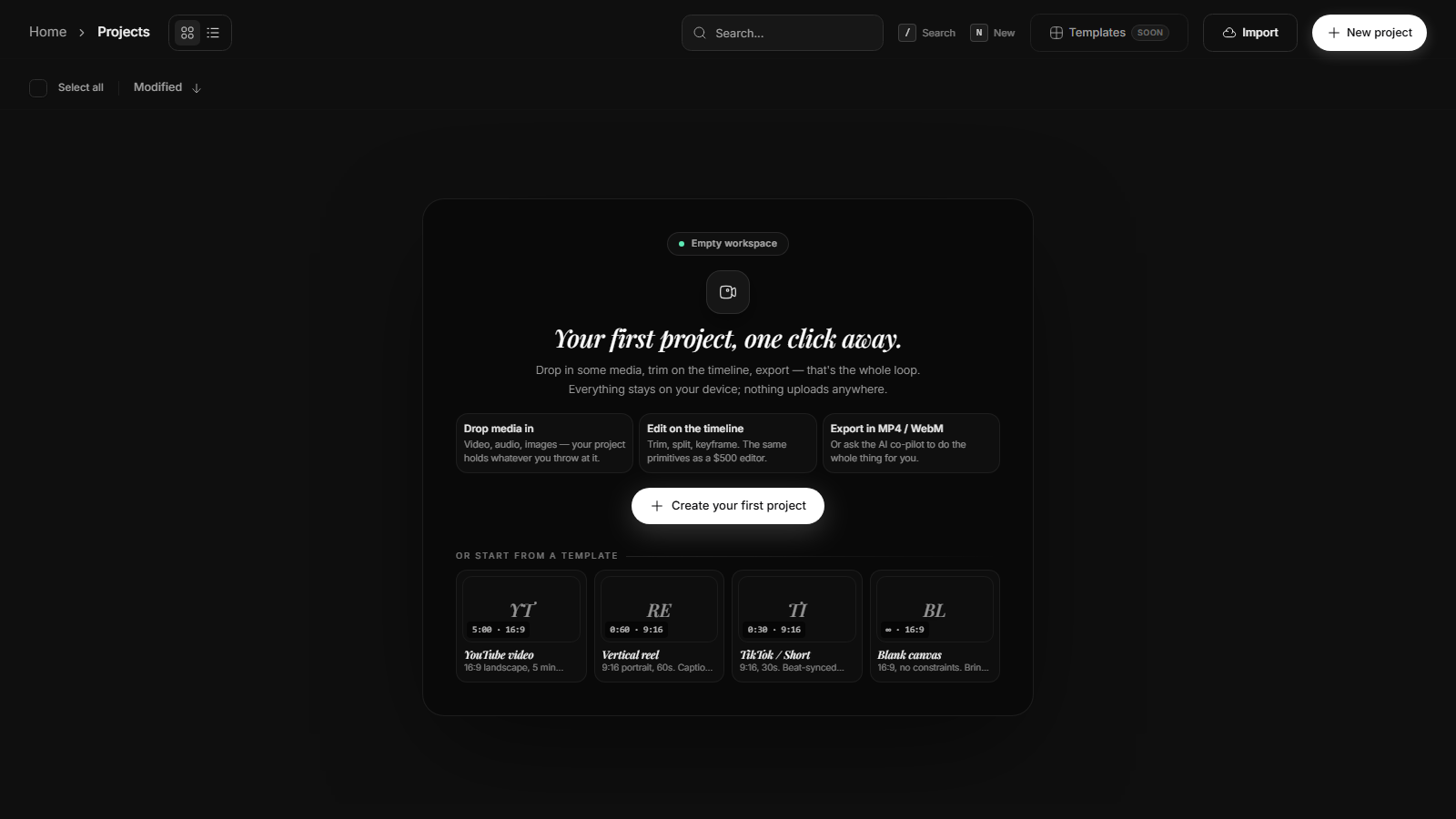
Artidor is a free, open-source video editor that runs entirely in your browser or on your desktop. No uploads, no paywalls, no "Pro" tier. Now with Arth, an AI co-pilot that learns how you edit.
Edit in plain English.
The editor does the rest.
Arth speaks every command the editor speaks: split, trim, retime, keyframe, transition, color-grade, import, export. You describe the intent. It issues the tool calls.
- Self-improvingEvery cut, split, keyframe and effect you apply is logged. Arth reads your last 20 edits and matches your pacing, easing, and pacing.
- Style from a referenceDrop in a finished video. The extractor reads its cuts-per-minute, palette, motion energy and audio tempo, then imitates it on your timeline.
- 40+ tools, one modelAdd tracks, change fps, drop captions, apply a cinematic grade, export to MP4 — all from the same chat box. The model picks the right tool for the job.
The editor CapCut charges for — yours for free.
Every feature below is in the public repo today. Arth, the compositor, the masking system, the timeline, the autosave. MIT-licensed. Forks welcome.
Local-first by design
Your media never leaves the device. Footage, projects, and AI models all run in your browser via WebCodecs and the Rust core compiled to WASM.
Web · Desktop · API
Same Rust core, three runtimes. Open a project in the browser, keep going on the desktop app, embed the editor in your own product via the API.
AI that you control
Arth speaks to a local LLM by default (Ollama). Wire up OpenAI or Anthropic if you want frontier models — your keys, your data, your rules.
GPU-accelerated everywhere
WebGPU compositor, wgpu-powered effects pipeline, and Rust-side feather for masks. The same primitives run on Apple Silicon, NVIDIA, and AMD.
Compositing that doesn't fight you
Layered scenes, blend modes, masks with feather, real keyframes, audio waveforms with beat detection. The toolkit CapCut hides behind a paywall — yours for free.
Real undo, real autosave
Command-based history with ripple editing, bookmarks, and per-scene state. Autosave runs against local IndexedDB or your own Postgres — no cloud lock-in.
Three steps. No account. No upload bar.
Drop your footage in
Drag video, audio and image files straight onto the canvas. Artidor indexes them in your browser's storage — nothing uploads anywhere.
Edit (or ask Arth)
Use the timeline, the inspector, the keyboard — or describe the edit in the AI panel. Arth learns from your style as you work.
Export to anything
Render to MP4, WebM, or GIF. The Rust-side scene builder keeps export quality identical to the live preview, with the option to keep your audio mix.
Your footage is yours.Your editor should be too.
Open the editor in your browser — no install, no account. Or grab the desktop app for native GPU acceleration and offline use.